
Full Band Setup
Stage Plot
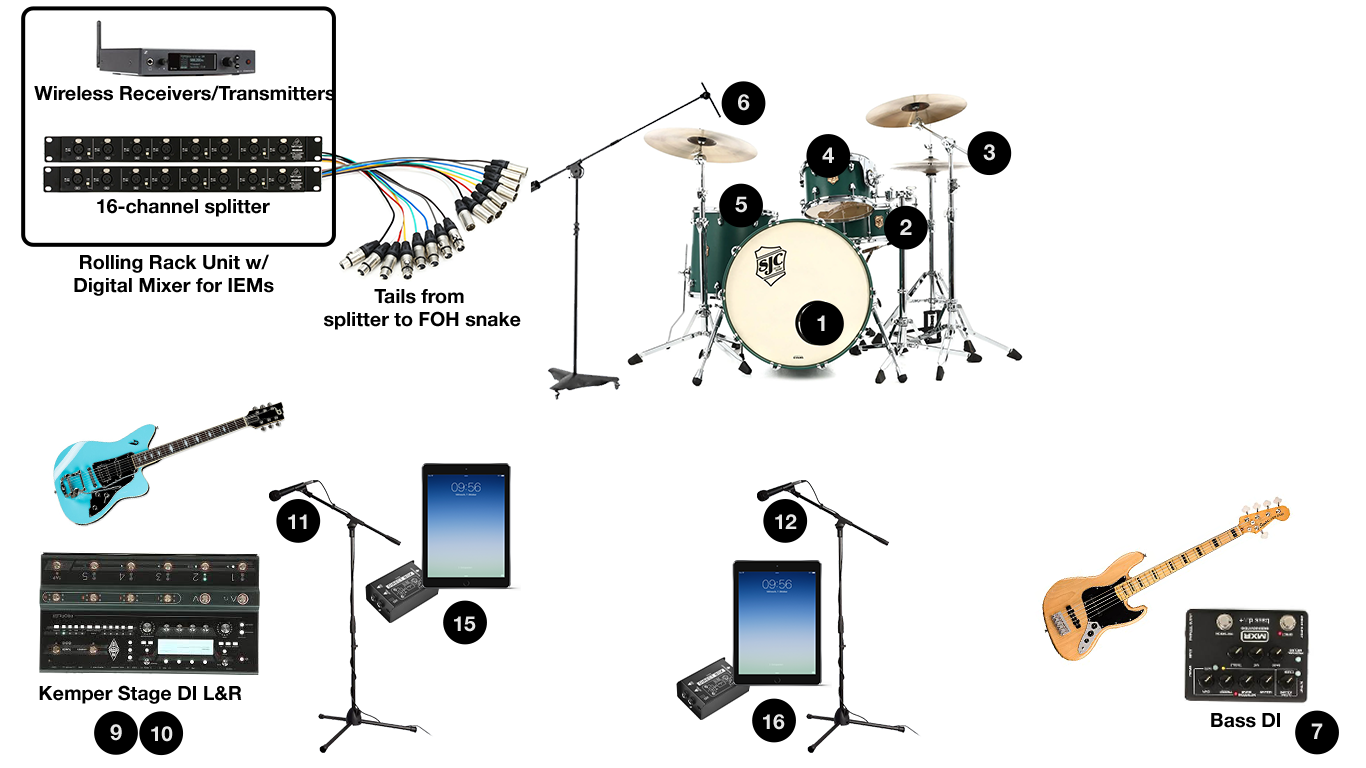
Input List
| Input | Source | Notes |
|---|---|---|
| 1 | Kick | |
| 2 | Snare | |
| 3 | Hi-hat | |
| 4 | Rack Tom | |
| 5 | Floor Tom | |
| 6 | Overhead Left | |
| 7 | Overhead Right | |
| 8 | Bass | D.I. pedal (provided by band) |
| 9 | Guitar, Kemper (left) | Direct stereo; no amp on stage |
| 10 | Guitar, Kemper (right) | Direct stereo |
| 11 | Vocal 1 | Kellan. Wireless SM-58 (provided by band) |
| 12 | Vocal 2 | Jon. Wireless SM-58 (provided by band) |
| 13 | iPad 1 | Kellan. Mono D.I. Box |
| 14 | iPad 2 | Jon. Mono D.I. Box |
| 15 | Open | Available for your added mics |
| 16 | Open | Available for your added mics |
For engineers: Drums and bass are yours to mic however you like; channels 1-8 are just where we’ve labeled them to land. Channels 15 and 16 are open for up to two added mics. We ask that every line patch through our stage rack: we hand you a 16-channel transformer-isolated split, and we multitrack every show from our side, so only lines that pass through our rack make the recording.
Acoustic Setup
Stage Plot
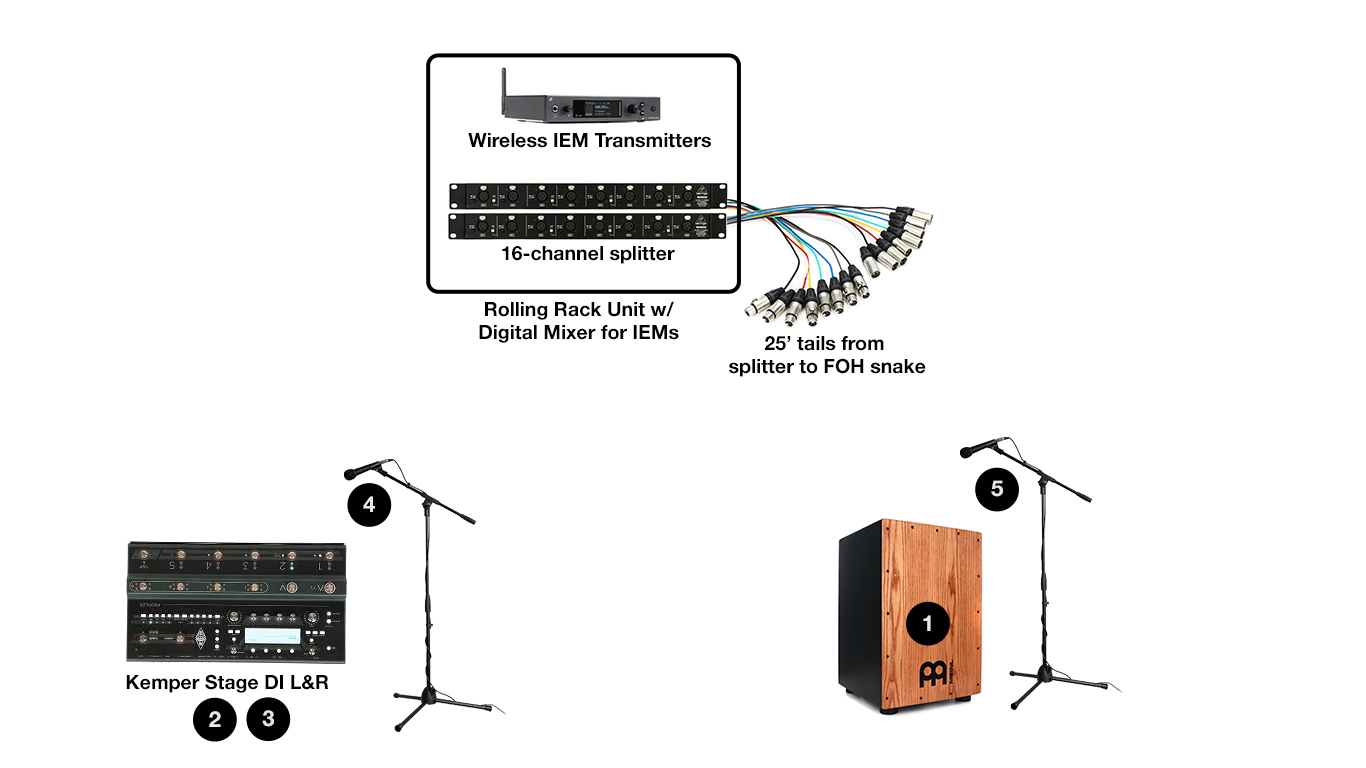
Input List
| Input | Source | Notes |
|---|---|---|
| 1 | Cajon | Audix ADX-60 (provided by band, phantom power) |
| 2 | Guitar, Kemper (left) | Direct stereo; no amp on stage |
| 3 | Guitar, Kemper (right) | Direct stereo |
| 4 | Vocal 1 | Kellan. Wireless SM-58 (provided by band) |
| 5 | Vocal 2 | Jon. Wireless SM-58 (provided by band) |
For engineers: Same arrangement as the full band setup: these five lines come off our transformer-isolated split, and we multitrack every show from our side, so we ask that everything patch through our rack rather than straight to your console.